Troubleshooting Your QEnergySpa
Table of Contents

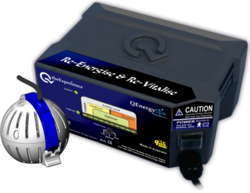 Troubleshooting your QEnergySpa® is easy to do
Once you are familiar with the basic principles. It will become second nature. If you are experiencing some difficulty, the following guide will assist. As long as effervescence is visibly emitted from the Orb, it will function and produce the results as designed. The QEnergySpa is a precise and fragile electronic piece of equipment. It is similar in fragility to a computer. Because of its unique assembly, it is wise to assemble or disassemble in bright light. This will allow you to view the preciseness of each and every part prior to use.
Troubleshooting – It Helps To Be Careful
The care you take in the assembly or disassembly of these delicate precision instruments will preserve them for years to come. All acrylic parts: Orb and on the cable and mohawk (part of the cable). Once you understand how fragile and precise the acrylic parts are, you will appreciate your patience spent on taking care of your QEnergySpa. It is also extremely important to assemble and disassemble DRY components. It’s easy to slip and mishandle the wet parts. They break easily. They are precise and made to fit perfectly.
Troubleshooting – Assembly and Reassembly:
Visually inspect each part in bright light. Look for cracks or any broken pieces on all acrylic and metal parts. Check the cable to be sure that it has no cracks, cuts, or crimps. Check for any abrasion on the cable. Be sure to completely disassemble the orb shell. This includes removing the buttons in each orb shell. The buttons, (the metal disc with the rod) sometimes comes apart. This can disrupt the conductivity, too.
Watch the orb assembly video HERE
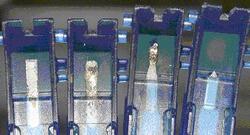
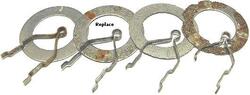
It’s always best to confirm that the rings, track, and cable are in good condition. Also, all items in the orb are in alignment. These are common errors that are simply adjusted by reviewing the assembly. See the examples here.
Troubleshooting – Fuses and Fuse installation
Check the fuses. Some machines have fuses in the front band back. Some just on the back side. Fuses serve as safety measures to prevent circuits from overloading and causing fires. If a fuse blows repeatedly, it’s a sign that something is amiss. Before replacing the fuse, identify and address the underlying issue causing the overload.
Watch the Fuse Holder Installation Guide video HERE
Troubleshooting –Conductivity (water quality)
- Place the Orb into the water ensuring that the Orb is completely covered.
- Turn on the power supply.
Troubleshooting – QEnergySpa – BEFE Model Q6000
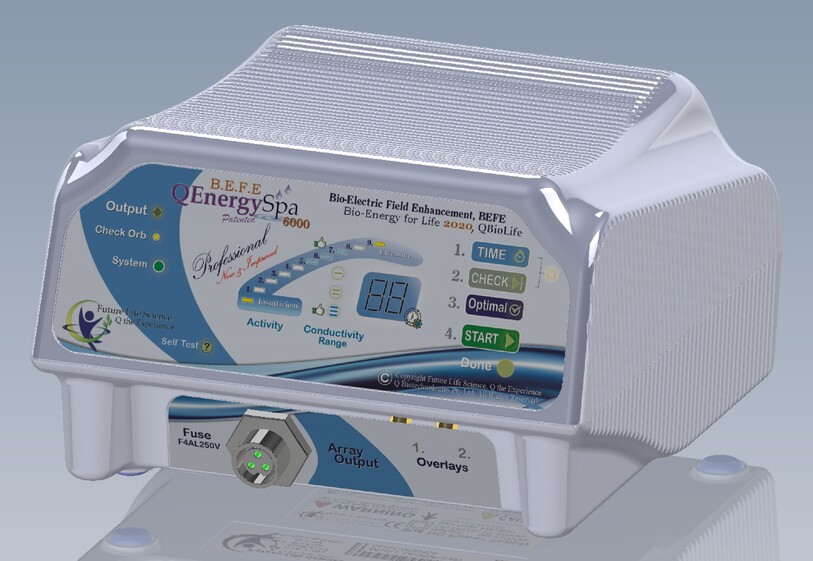 Turn on the unit. On the left side of the Display Panel, you will see:
Output: When lit, indicates that power to the Water Module is ON.
Fuse OK: Should be on. If not, replace output fuse with a 5-Amp rating.
System: When lit, indicates that power supply is on.
Once all lights are confirmed…on the right side of the Panel
1. TIME: The timer defaults to 35 minutes (This is the optimum time frame for a Q session. A smidgen more than 2 cycles of water, ensuring that we get a session of one complete cycle of water). Each press of the Time button will decrement the timer by 5 minutes (Even during session) and once you reach 5 minutes, the timer will go back to 35 minutes.
2. CHECK: Press this button. The unit will turn on and take some readings.
3. START: Press the Start Button when lit. This begins the session cycle. Now submerge your feet or body into the water, and relax for the duration.
Troubleshooting – BEFE Models q36, q26, 3100, 2100, 2500
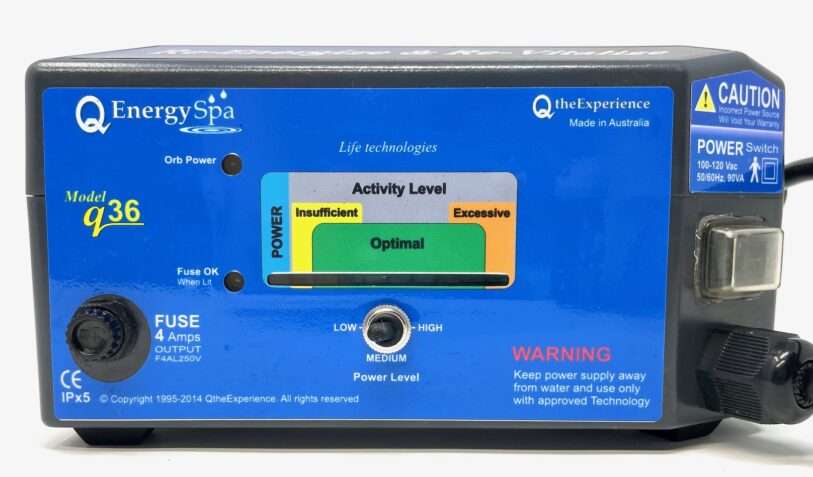 Check the display panel, to make sure that the activity is within the optimal range.
- A minimum of 3 lights is required (4 lights, including the system light) on the display panel. If more than 3-4 lights are illuminated, switch the power level selector to a lower setting.
- If fewer than 3 – 4 lights are illuminated, switch to a higher setting. Only add a conductive agent if absolutely necessary. When you are ready, set the separate mechanical timer to 35 minutes, submerge your feet or body into the water, and relax for the duration.
Troubleshooting – QEnergySpa Model q47, q46, 4105, 4100
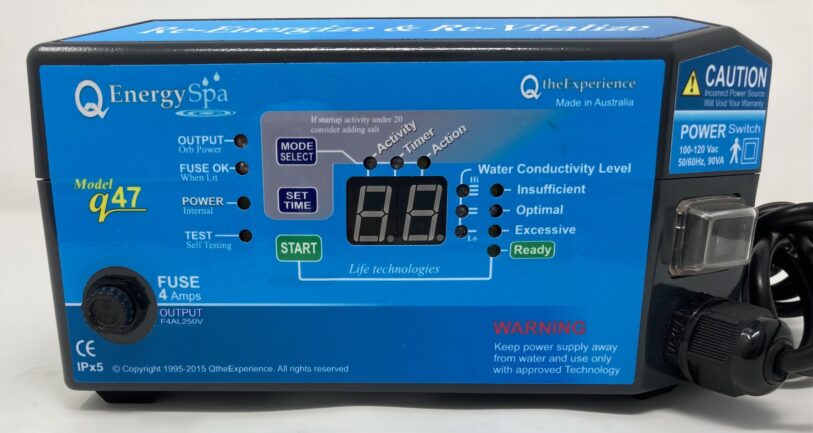 Check the numerical display panel, to ensure that the activity is within the optimal range (10 – 55).
- If it flashes “Lo” on the numerical display panel, water conductivity is insufficient. Turn off the power supply and add a conductive agent.
- Turn on the power supply and repeat the above instructions until optimal conductivity is achieved (aim for approximately 25).
- Wait for the unit to display “go” and when ready, Press “Start”, submerge your feet or body into the water, and relax for the duration.
- As long as effervescence is visibly emitted from the Orb, it will function and produce the results as designed.
Troubleshooting – QEnergySpa – BEFE 3006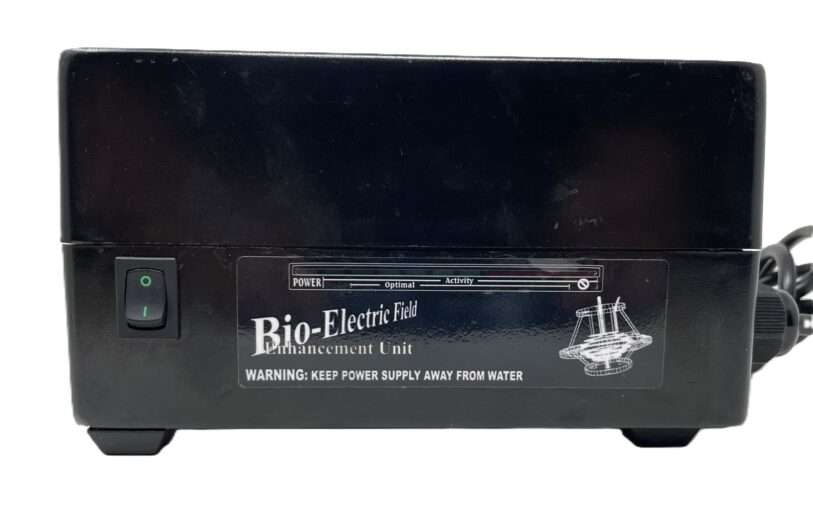
- Turn on the power supply on the front panel. A minimum of 3 lights is required (4 lights, including the system light) on the display panel. If more than 3-4 lights are illuminated, switch the power level selector to a lower setting.
- If fewer than 3 – 4 lights are illuminated, switch to a higher setting. Only add a conductive agent if absolutely necessary.
- If effervescence is visibly emitted from the water module (Array or Orb); it will function and produce the results as designed.
- When you are ready, set the separate mechanical timer to 35 minutes, submerge your feet or body into the water, and relax for the duration.
Troubleshooting – QEnergySpa BEFE 3024
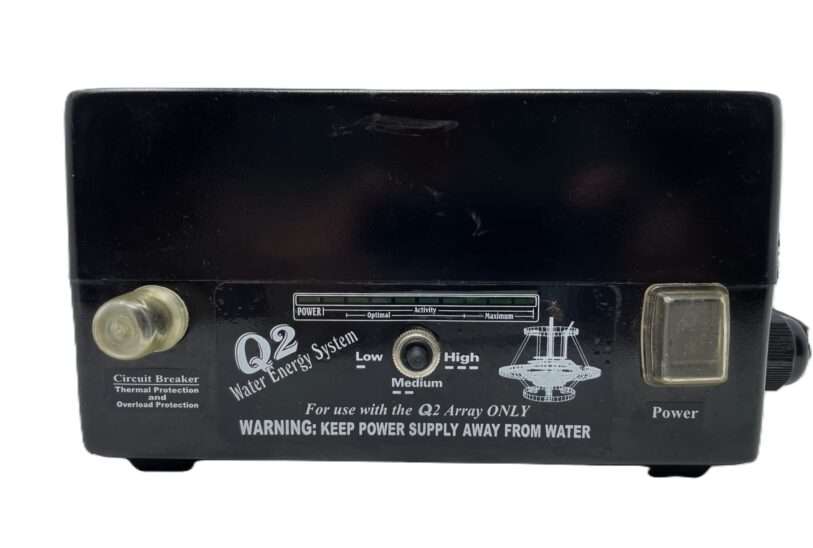
- Turn on the power supply on the front panel. A minimum of 3 lights is required (4 lights, including the system light) on the display panel. If more than 3-4 lights are illuminated, switch the power level selector to a lower setting.
- If fewer than 3 – 4 lights are illuminated, switch to a higher setting. Only add a conductive agent if absolutely necessary.
- Check the circuit breaker. “Pop” it to confirm that it is engaged.
- If effervescence is visibly emitted from the water module (Array or Orb); it will function and produce the results as designed.
- When you are ready, set the separate mechanical timer to 35 minutes, submerge your feet or body into the water, and relax for the duration.
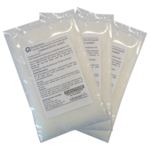 The recommended conductive agent is a ‘dissolved salt solution’. Prepare a solution by adding Potassium Citrate, pure Sea or Rock salt to a small amount of warm water. Slowly add this solution until the appropriate lights or optimal indicators appear. More conductivity does not generate better results, but rather, prematurely increases wear and discoloration of the water after a session. Add ‘conductive agent’ sparingly.
Cleaning & maintenance
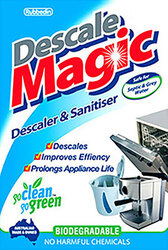 Keep the Orb clean and well-maintained for optimal performance with DeScale Magic.
Review a video on HOW TO CLEAN the ORB
- Use only authorized cleaning solutions; “CLR” or “Descale Magic” or even a solution made of pure lemon juice and salt.
- Soak Orb for 5-15 minutes after each use. Prolonged soaking may cause excessive wear and reduce the life of the Orb.
- Never polish any of the rings with any product.
- Never subject the Orb or Cable Connector to water temperatures higher than 40°C.
- Do NOT clean the Orb in a Dishwasher/Autoclave or in boiling water.
- Replace rings and tracks when visibly pitted and worn or when the edges or thickness has been visibly affected.
- The Rings and Tracks usually last from 8 to 20 Sessions depending upon your water source.
Video Education
- Video guidance for orb assembly after changing the rings and track. Watch here.
- Video directions for replacing fuses. Watch here.
- Video instruction cleaning the orb. WATCH HERE.
- Video Instruction: Q6000
Troubleshooting Guide
|
|
|
|
| |
|
| |
|
|
|
|
| |
|
|
|
|
|
|
|
| |
|
|
|
|
|
|
|
|
|
|
|
|
|
|
|
Q Tech recommends the use of a surge protector with the unit at all times.
Model 4105 Display Codes
| go | Press START |
| Sc | Session Completed Successfully |
| — | Normal Operation |
| NC | No Connection Detected |
| Lo | Low; Insufficient Conductivity |
| Hi | High; Excessive Conductivity |
| Fo | Output Fuse Likely Blown |
| Sd | Self Diagnostic Mode |
| dc | Diagnostic Complete |
| Fi | Internal Fuse blown, Call for service |
| 40-99 | Internal Error, Call for service |
Disclaimer: Please note that the QEnergySpa is not offered, nor intended to cure, mitigate, prevent, or treat any disease or health condition, and is not a medical device. Use only as directed and consult your primary health care provider if you have any medical concerns and/or if symptoms persist. Water color from any session, with any device of this technology, may vary due to a large number of different parameters and circumstances.
NO interpretation should EVER be applied to any one color and/or precipitation, NO matter the configuration or system used. To do so, would show a serious lack of judgment and understanding of the technology.
Q2Spa.com | Genuine QEnergySpa Parts | QEnergySpa Footbath | Orb Ring and Track Sets
Orbs and Cables | Array Cables | Fuses | Display all QEnergySpa Products Look here.
You may always contact us with any questions or part requests. We are here to help you set up your session. Nothing looks and performs like a genuine QEnergySpa Footbath. For that reason, Pros insist on them. Do you need spare parts for your QEnergySpa Footbath? Does your orb or array have a broken or missing part also? Then you have found the right place. Q2Spa.com Online Since 2002
Solid, untreated, unvarnished copper tubs – which have the potential 10% to 30% increase in efficiency!
The statements on this site have not been evaluated by the FDA.
These products are not intended to treat, cure, or prevent any disease.